

CNC Machine Ergonomics: How We Design for Operator Comfort and Faster Maintenance
- Apr 13
- 4 min read
When we talk about “ergonomics” in a CNC machine, we’re not talking about comfort as a nice-to-have. We’re talking about designing the entire operator experience like setup, running, checking, cleaning, and maintenance so it’s easier to do great work consistently.
That’s exactly how we approach our MEGA/TERA vertical machining centers: we want the operator to stand in the right place, see what matters, reach what they need, and keep the machine productive without fighting the interface or the enclosure design.
In this article, we’ll walk you through the ergonomic choices we’ve built into our machine, starting at the control panel, then moving into access, lighting, setup reach, and serviceability.
Note: This article shares design intent and practical features. For safety, always follow your site procedures and applicable standards for guarding, access, and maintenance.
Why ergonomics matters in CNC machining
Ergonomics is “fitting the job to the person,” and doing it well helps reduce fatigue and the frequency/severity of work-related musculoskeletal disorders (MSDs), while also supporting productivity. (External reference: OSHA ergonomics overview; NIOSH ergonomics and MSD resources.)
On a CNC shop floor, that translates into very practical questions:
Can we see what we’re doing without awkward posture?
Can we load tools and parts without overreaching?
Can we access service points without dismantling half the machine?
Can we clean and maintain the machine fast enough to protect uptime?
If the answer is “yes,” the operator experience improves, and so does the likelihood of consistent, repeatable output.
Our operator-first control panel design
Two-axis adjustable operator panel (tilt + swivel)
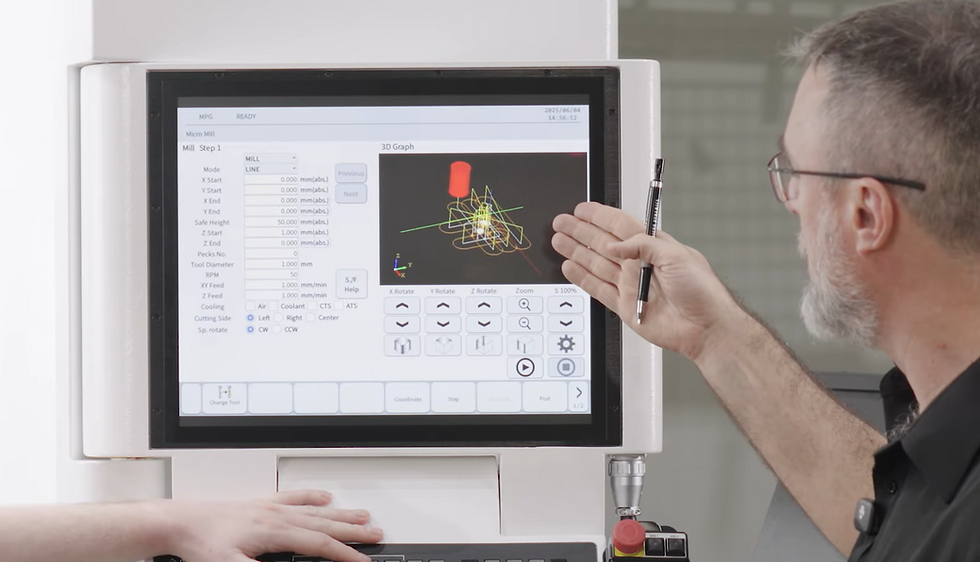
Every operator is different, and every job changes the way you stand at the machine. That’s why we like a two-axis motion operator panel: it can tilt and swivel so the screen and controls stay comfortable to view and use.
On our machines, the operator panel is designed to adjust for the best viewing angle and comfort, based on personal preference and the needs of the task.
Touchscreen display and a practical controller stack
We specify a touchscreen display that supports shop-floor usability: clear visual feedback, straightforward operation, and a workflow that’s easy to document.
A feature we personally like is the ability to capture screenshots as part of troubleshooting and process documentation, because in real life, the fastest way to explain a problem is often to show exactly what you saw on the screen.
Control layout for “eyes-off” confidence
Small details matter. When buttons and overrides are positioned logically, the operator can keep attention where it belongs: on the machine and the process.
We pay attention to:
Logical grouping of controls
Clear physical cues (so your hand position tells you where you are)
Simple access to common actions during setup and operation
This kind of layout reduces unnecessary head/eye movement and lowers the cognitive load during repetitive tasks.
Workzone access that makes setup easier
One-hand door operation
We want the operator to open and close the door easily, even when they’re cleaning chips or managing coolant. A wide front door that can be opened with one hand is a practical ergonomic improvement, especially during frequent setup cycles.
Reduced reach to the spindle and compact door-to-table distance
Setup time is often where ergonomics becomes “real money.”
Two design choices we focus on:
Reduced reach to spindle: make the spindle area easier to access without stretching.
Door-to-table distance under 200 mm: a shorter reach for part loading and setup.
These design choices help operators load tools, vises, and workpieces more comfortably, especially over long shifts.
Lighting, visibility, and day-to-day confidence
Good lighting is not a cosmetic feature; it’s a safety and quality feature. Guidance from safety bodies like the UK HSE emphasises that poor lighting creates risk, while good lighting supports task performance.
That’s why we build strong internal LED lighting so operators can see inside the enclosure clearly, especially during setup, verification, and inspection.
Maintenance access and chip/coolant serviceability
Ergonomics includes the people who keep the machine running, not only the people who run parts.
Service doors and maintenance access points
We design access so common service tasks are simpler and faster:
Headstock service access
Practical access to tool magazine areas
Clear maintenance points for lubrication/pneumatics and related systems
This supports safer, more consistent servicing and encourages preventive maintenance.
Reversible chip conveyor and quick coolant tank detachment
Chips and coolant are part of machining reality. The key is how quickly you can manage them without disruption.
We like:
Reversible conveyors (to match shop layout and simplify maintenance access)
Quick separation / one-plug coolant tank detachment (so filters and cleaning tasks are less of a struggle)
What to check when comparing “ergonomic” VMCs
When you’re comparing machines, we recommend checking evidence, not just slogans:
Adjustability: Can the operator panel tilt and swivel to match viewing height and stance?
Reach distances: How far is it from door to table, and from operator to spindle?
Visibility: Is the workzone well lit? Can you observe safely without removing guards?
Cleaning and service: How quickly can you access chip/coolant modules and common service points?
Documentation and support: Is it easy to capture information (screens, alarms, status) for troubleshooting?
If you want a quick way to verify, compare the ergonomics features page, then cross-reference the machine model you’re considering.
Next steps
If you want to see how these ergonomics decisions show up across our range:
External links


Comments